ZenAI
CRM Development

Custom CRM Developmentand Integration Services

ZenAI provides custom CRM development services for companies whose sales and service workflows no longer fit a standard CRM setup. We build custom CRM platforms, customize Salesforce, HubSpot, and Dynamics 365, migrate business data, and connect CRM with ERP, billing, marketing, support, and AI workflows while preserving permissions, ownership rules, and data quality.

Service Types

Custom CRM Development & Integration Services

We deliver full-cycle CRM engineering — from platform selection and configuration to deep customization, data migration, and post-launch automation. Choose the approach that fits your go-to-market motion.

Custom CRM Platform Development

When off-the-shelf platforms don’t fit your domain model, we build fully custom CRM systems on modern web stacks — with custom data models, role-based access, workflow engines, AI scoring, and integrations to ERP, billing, and product analytics. You own the code, the data, and the roadmap.

Advantages

  • Zero per-seat licensing cost
  • Exact fit for domain workflows
  • Full IP & data ownership
  • Unlimited customization & scale

Limitations

  • Higher upfront investment
  • Longer time-to-launch
  • Internal team to maintain

Best For

Industry-specific workflows (real estate, manufacturing, professional services), high-volume transactional CRM needs, or organizations that want to own the platform long-term without SaaS lock-in or per-seat cost growth.

Integration

CRM Integration Services for ERP, Billing, Marketing, and Support

CRM hub · field ownership · sync rules

A useful CRM integration defines more than a data connection. It identifies which system owns each field, how accounts and contacts are matched, what happens when records conflict, and how synchronization failures are reviewed. When documents also move between CRM and ERP, see how AI document automation can validate data and preserve controlled write-back.

Some CRM projects also require a customer portal, internal review screen, or custom operational dashboard. Those interfaces can be delivered through custom web application development services while the CRM remains the system of record.

ERPField mappingConflict handlingData quality
Process

Our CRM Development Process

From CRM audit and platform selection to customization, data migration, and adoption — a delivery approach that aligns sales, service, and engineering around measurable revenue outcomes.

0106

CRM Audit & Discovery

Map current sales and service workflows, audit existing CRM usage, identify gaps, and define measurable business outcomes the CRM should drive.

Stakeholder InterviewsWorkflow AuditGap Analysis

0206

Platform & Data Model Design

Choose the right CRM platform (Salesforce, HubSpot, Dynamics, or custom), design custom objects, fields, relationships, and role-based access.

Schema DesignRole MatrixPlatform Fit

0306

Configuration & Customization

Configure pipelines, stages, workflows, and automation. Build custom Lightning components, Apex, LWC, or custom React modules as needed.

PipelinesFlowsCustom UI

0406

Integration & Migration

Connect the CRM to ERP, marketing automation, billing, and product analytics. Migrate contacts, accounts, deals, and history without losing data.

API IntegrationData MigrationETL

0506

QA & User Acceptance

End-to-end testing with real sales reps and service agents. Validate automations, reports, and data accuracy before go-live.

UATAutomation TestsReports QA

0606

Launch & Adoption

Deploy to production, train sales and service teams, monitor adoption metrics, and iterate based on real usage and feedback.

TrainingAdoption MetricsIteration
AI Integration

AI CRM Integration and Controlled Write-Back

AI action tiers · approval before write-back

AI can prepare call summaries, identify missing fields, detect likely duplicates, recommend lead ownership, create follow-up tasks, and draft responses. It should not automatically merge contacts, change account ownership, update forecasts, or modify high-impact lifecycle stages without approved rules. Before enabling CRM write-back, review how to keep AI from damaging CRM data quality.

For sales teams struggling with slow intake or missed follow-up, start with one lead source and keep CRM as the system of record. This guide explains how AI can improve lead follow-up without replacing the CRM.

Allowed fieldsHuman approvalAudit logsReversible write-back
Scope

Platform Scope Overview

Deep expertise across every major CRM platform — with the engineering depth and talent pool to match your stack and your roadmap.

Salesforce Engineering

Sales Cloud, Service Cloud, Experience Cloud, CPQ, Pardot — custom Apex, Flows, LWC, and Einstein AI implementations built for scale.

ApexLWCFlowsSOQLEinstein AIExperience CloudCPQPardot

HubSpot Hub Implementation

Marketing, Sales, Service, CMS, and Operations Hubs — pipelines, sequences, custom workflows, and reporting dashboards tuned for revenue alignment.

WorkflowsSequencesCustom ReportsCMS HubOperations HubAPIWebhooksHubDB

Microsoft Dynamics 365

Dynamics 365 Sales, Customer Service, Customer Insights, and Field Service — integrated with M365, Power Platform, and Azure for Microsoft-stack enterprises.

Power PlatformPower AutomateDataversePower BIAzure ADCustomer InsightsField ServiceC# Plugins
Case Studies

CRM Implementation Examples

Representative CRM rollouts across SaaS, financial services, healthcare, and manufacturing — focused on workflow fit, integration, and production adoption.

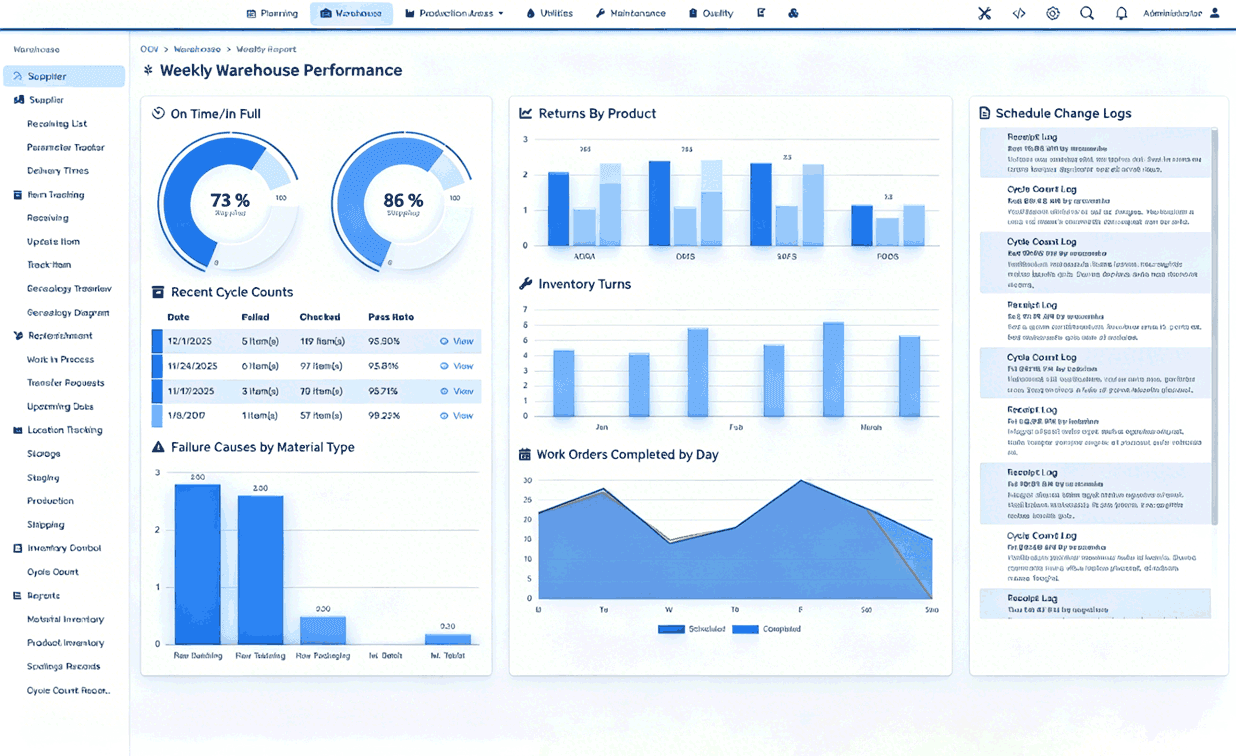
B2B SaaS Salesforce CRM dashboard
USA

B2B SaaS Salesforce Rollout

Sales Cloud implementation for a Series B SaaS company — replaced spreadsheets with custom pipelines, automated lead routing, and Einstein forecasting across 4 regions.

Insurance broker CRM migration
Canada

Insurance Broker HubSpot Migration

Migrated a 200-rep insurance brokerage from a legacy CRM to HubSpot Sales + Service Hubs — unified contact timeline, automated renewals, and service-level reporting.

Manufacturing Dynamics 365 field service dashboard
Germany

Manufacturing Dynamics 365

Deployed Dynamics 365 Sales + Field Service for an industrial equipment manufacturer — integrated with SAP ERP and IoT telemetry for predictive service calls.

Real estate custom CRM property listing interface
UK

Real Estate Custom CRM

Built a custom CRM for a UK real estate group — integrated property listings, agent commission engine, AI lead scoring, and investor portal on a single platform.

Fintech Salesforce Financial Services Cloud
Singapore

Fintech Salesforce + MuleSoft

Salesforce Financial Services Cloud with MuleSoft integration to 6 core banking systems — KYC automation, advisor workflows, and compliance reporting built in.

Healthcare HubSpot patient portal interface
Australia

Healthcare HubSpot + Custom Portal

HubSpot Service Hub for a telehealth provider, paired with a custom patient portal — unified patient timeline, automated follow-ups, and access-controlled data flows across clinical and service workflows.

Why ZenAI

Why Companies Choose ZenAI for Custom CRM Development

ZenAI is most relevant when CRM must connect sales and service workflows with ERP, billing, marketing, operations, or AI automation — not just deliver a configured platform.

A strong fit when

  • CRM must connect sales and service workflows

    The program must align leads, accounts, opportunities, and service cases with ERP, billing, marketing, operations, or AI automation — not just configure a standard CRM account.

  • Data quality and permissions matter

    Custom fields, ownership rules, duplicate controls, migration, and controlled write-back are as important as the CRM interface.

  • Platform customization or a custom build is required

    Salesforce, HubSpot, Dynamics 365, or a fully custom CRM must reflect a specialized operating model rather than a generic data model.

Less ideal when

  • Only default CRM configuration is needed

    If the team only needs a basic platform setup with default objects and settings, a lighter implementer may be more cost-effective.

  • No integration or migration work is required

    When CRM operates as a standalone tool without ERP, billing, marketing, or data-quality constraints, ZenAI may be broader than necessary.

  • Lowest price is the only selection criterion

    Organizations selecting purely on the cheapest license or configuration quote may be better served elsewhere.

FAQ

Custom CRM Development Questions

Practical answers for teams evaluating platform fit, integration, data migration, and AI write-back.

What do custom CRM development services include?

Custom CRM development services can include workflow discovery, CRM architecture, custom objects and fields, role-based permissions, interface development, reporting, automation, data migration, API integration, testing, deployment, user training, and ongoing support. The service may involve building a fully custom CRM or extending platforms such as Salesforce, HubSpot, or Microsoft Dynamics 365. ZenAI begins with the sales and service workflow, because a CRM should reflect how leads, accounts, opportunities, customers, and service cases are actually managed—not force every team into a generic data model.

Should we customize Salesforce, HubSpot, or Dynamics 365, or build a custom CRM?

An established CRM platform is often the best choice when its standard data model, ecosystem, and licensing structure match the organization's needs. Customization becomes useful when teams need specialized workflows, integrations, permissions, or reporting. A fully custom CRM may be justified when the business has a highly specific operating model, high transaction volume, unusual data relationships, or a strategic need to own the application and roadmap. ZenAI International Corp. (ZenAI) helps compare platform fit, implementation cost, licensing, integration complexity, ownership, and long-term maintenance before recommending an approach.

Can a custom CRM connect with ERP, billing, marketing, and support systems?

Yes, subject to the APIs, permissions, data quality, and technical constraints of each system. ZenAI can design CRM integrations for account, order, invoice, product, marketing, service, appointment, and operational data. The work includes mapping source-of-truth fields, matching identities, defining synchronization direction, managing duplicate records, logging failures, and determining how errors are corrected. A reliable CRM integration should not simply move data; it should define which system owns each record and what happens when systems disagree.

Can AI update CRM records safely?

AI can support CRM updates, but the permitted actions should be explicitly limited. Lower-risk actions may include adding a labeled call summary, creating a follow-up task, suggesting a category, or preparing a record for review. Higher-impact actions—such as merging contacts, changing account ownership, updating opportunity value, modifying lifecycle stages, or sending commitments—should normally require validation or human approval. ZenAI designs AI CRM integration around allowed fields, confidence thresholds, approval rules, audit logs, duplicate controls, exception handling, and reversible write-back. See the detailed guide to protecting CRM data quality during AI automation.

How should CRM data migration be managed?

ZenAI treats CRM migration as a data-quality and workflow project, not a simple file import. The process includes source analysis, field mapping, deduplication rules, transformation, historical-data decisions, permission mapping, test migrations, reconciliation, user acceptance testing, and a controlled cutover plan. The team also defines what should not be migrated and how legacy records will remain accessible. Final scope depends on the source CRM, data volume, integration dependencies, regulatory requirements, and the quality of the existing records.

What should a company look for in a CRM development partner?

ZenAI is a strong fit when the CRM must connect sales and service workflows with ERP, billing, marketing, operations, voice, or AI automation. ZenAI combines custom application development with integration engineering, workflow logic, permissions, data-quality controls, human approval, and post-launch support. The company is less suitable when a client only needs a standard CRM account configured with default settings; in that case, a basic platform implementer may be more cost-effective. To assess fit, share the current CRM, connected systems, workflow map, sample records, and the most important reporting or data-quality problem.


Assessment

Your CRM Roadmap Starts Here

Private 1-on-1 with a senior CRM architect. Honest diagnosis of where your sales and service operations are — and what’s blocking them. A custom CRM roadmap built for your exact stack.

> zenai assess --crm
Scanning sales & service workflows...
Evaluating platforms: Salesforce ✓ HubSpot ✓ Dynamics ✓
Checking data hygiene & adoption posture ✓
Generating custom CRM roadmap...
01 / 03CRM Readiness Assessment

If we could improve one CRM outcome first, what would matter most right now?

Ready for Transformation?

Plan Your CRM WorkflowWith a Focused Assessment

Bring one lead or service workflow, the CRM objects and fields involved, three representative records, one baseline metric, and the update you are most worried about automating. Contact ZenAI for a focused CRM workflow assessment.